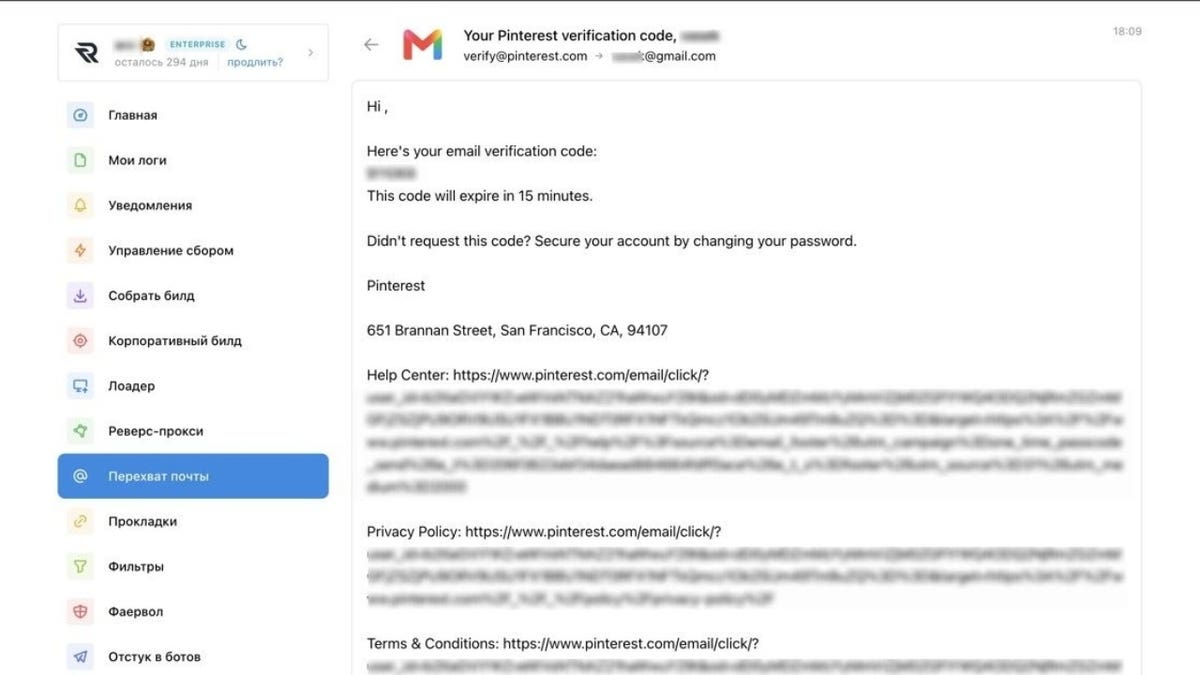
Changing your Gmail password after suspicious activity may not always secure your account. Remus Stealer, a malware service marketed to cybercriminals, claims it can continue accessing Gmail messages even after a password change. The malware targets infected devices rather than exploiting Gmail itself, according to security researchers and Google.
Understanding Remus Stealer’s Claims
Developers of Remus Stealer claim their malware allows access to compromised Gmail accounts through a control dashboard feature. They assert that changing a password or revoking sessions won’t prevent mailbox access. Although no independent verification exists, these claims are concerning.
What Researchers Found
Security researchers at Hudson Rock investigated promotional materials for Remus. They observed claims but lacked evidence to demonstrate the malware’s advertised abilities. No new Gmail vulnerability was discovered, nor was any demonstration of access to new emails post-security measures.
Google’s Response and Security Recommendations
Google disputes claims of a Gmail vulnerability. The company emphasizes that malware targets session tokens on infected devices. Removing malware and revoking sessions are vital steps in account recovery. Google suggests changing the password from a trusted device and using their Security Checkup tool.
Why Hackers Can Access Gmail Without a Password
Browsers and applications use session cookies to maintain account access. These can be compromised by infostealer malware. While a stolen session grants a level of access, Google can invalidate sessions. Yet, if malware persists, it could capture new session data after login.
Warning Signs of Unauthorized Email Access
Watch for security alerts, unexpected password resets, missing messages, or changes in account settings. Verify security alerts by accessing your Google account independently rather than clicking links in emails.
Steps to Secure Your Gmail from Malware
- Disconnect infected devices from the internet.
- Use antivirus software to remove malware.
- Change passwords from a secure device.
- Review session activity and revoke unauthorized access.
- Check for unexpected forwarding rules or delegated access in Gmail settings.
- Use Google’s security features like 2-Step Verification and Enhanced Safe Browsing.
Conclusion
While changing your password remains essential, make sure to remove any malware before trusting new login credentials. Google’s security measures can help, but ongoing vigilance is crucial. Consider joining the CyberGuy community for more tech tips and advice.
Leave a Reply