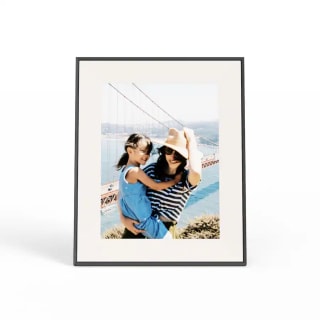
Choosing the best digital photo frame between Aura and Skylight is not straightforward. Both brands offer strong contenders in the market. Over a month, I evaluated these frames for a hands-on experience. This is essential because digital photo frames cater to a wide audience, not just older generations. These frames simplify photo enjoyment, removing the hassle of browsing through your phone’s chaotic gallery. With impressive features, they make perfect gifts. Here’s an analysis on which brand stands out.
How I Tested Aura and Skylight Frames
I tested the Aura Aspen and Skylight Frame 2, two models comparable in size, cost, and functionality. Over a month, I analyzed their setup, interface, design, and image quality. My colleagues Lindsay Schneider and Caitlin Cusack also joined in the testing. Schneider evaluated the Skylight while Cusack checked the Aura.
Our Experience with Aura and Skylight
Both Aura and Skylight are commendable options for digital photo frames. Their user-friendly nature makes them desirable additions to any home. The choice between them hinges on specific characteristics. Despite preferring the Aura frame, the Skylight might fit different preferences.
Setup
Aura
The Aura Aspen’s setup is quick, taking less than five minutes via the Aura app on your phone. You connect it to Wi-Fi and upload photos. Gift-giving becomes simpler with virtual setup or scanning a QR code on the package, ideal for less tech-savvy recipients.
Skylight
Setting up the Skylight Frame 2 is straightforward, although slightly more involved. It combines the Skylight app with the Frame 2 touchscreen. Tasks such as entering Wi-Fi credentials depend on the frame, unlike Aura’s automatic sync feature. While Skylight’s gifting involves a virtual setup, a gift code is needed upon unboxing.
Winner: Aura. While both setups are user-friendly, Aura simplifies the process more than Skylight.
Design
The Aura Aspen and Skylight Frame 2 closely resemble each other in size.
Aura
The Aura Aspen is refined, blending effortlessly into home decor. It features touch bars for swiping photos and managing settings. Some users may find the sensitivity challenging and prefer buttons. It’s available in one style but two colors. Its power supply is bulkier than expected, lacking a USB-C feature.
Skylight
The Skylight Frame 2 is also stylish, offering 10 styles and colors, enhancing decor matching. It has a touchscreen interface, intuitive yet prone to fingerprints. Some settings are only accessible via the frame unless you subscribe to Skylight Plus. The power supply is similar to Aura, yet the shorter cord limits placement options.
Winner: Draw. Preference varies, with some favoring Aura’s design and others Skylight’s versatility.
Ease of Use
The Aura app is minimalist and straightforward.
Aura
Aura frames shine in user-friendliness. The Aura app handles everything, from photo uploads to setting adjustments. Cusack’s experience showed how family photo sharing becomes instant and seamless. The app-focused approach enhances usability.
Skylight
Skylight, while easy to use, includes a slightly more complex process with extra steps. The app offers a busy interface and splits some functions with the frame itself. Skylight Plus, an optional service, extends capabilities such as downloading photos to other devices. However, the additional cost seems counterintuitive for a device aiming to simplify.
Skylight’s advantage lies in built-in storage, allowing photos to display without Wi-Fi, suitable for low connectivity areas.
Winner: Aura. Aura’s app-driven approach enhances ease of use, though Skylight offers more connectivity options with built-in storage.
Picture Quality
Images on both frames are impressive, but Aura generally delivers a slight edge.
Aura
The Aura Aspen’s photos display in high quality, offering a true-to-life look. Its 1600-by-1200-pixel resolution surpasses expectations. The 4:3 aspect ratio aligns perfectly with smartphone photos, avoiding cropping or black borders. The frame auto-adjusts brightness based on room lighting, which proved sufficient after prolonged use.
Skylight
The Skylight Frame 2’s higher resolution is commendable, yet the 16:9 ratio often introduces borders for smartphone photos. Manual brightness adjustment is an option, though defaults can appear overly bright next to traditional frames.
Winner: Aura. Aura’s aspect ratio and image presentation complement smartphone photography, enhancing overall picture quality.
Aura vs Skylight: The Final Verdict
Overall, the Aura Aspen stands out as a preferred choice, aligning more closely with conventional photo frames. Its simplicity and focus on essential functions make it a strong option. However, for certain needs, Skylight’s offline capabilities and added features may appeal.
About the Author
As a technology, fitness, and outdoor reporter for NBC Select, my expertise extends to point-and-shoot cameras and other photography aspects. For this article, Aura Aspen and Skylight Frame 2 were tested extensively with insights from two other NBC Select staffers.
Leave a Reply