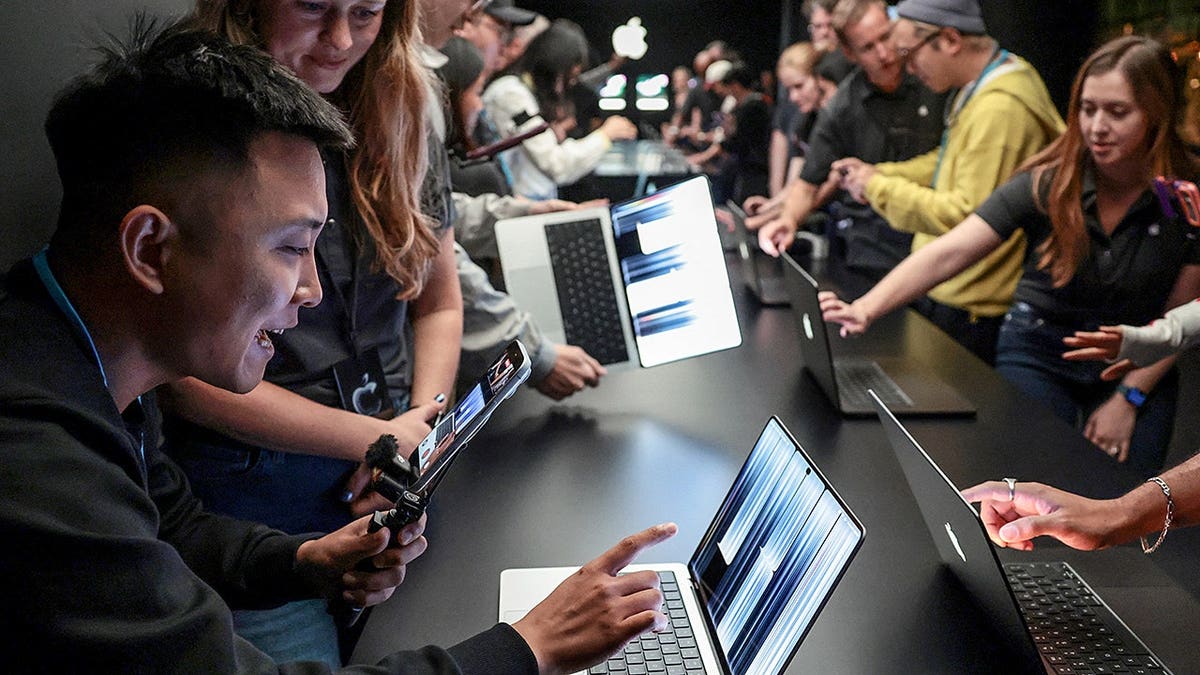
People are trying out the new MacBook Pro with a touch screen following its launch by Apple CEO John Ternus in Los Angeles on October 28, 2026. Apple has introduced a feature long-awaited by many: a touchscreen. The new MacBook Pro offers a stunning OLED display, a thinner design, and enhanced processing power. However, it starts at $2,899, which is a significant investment even by Apple’s standards.
What’s Included in the New MacBook Pro?
The touchscreen feature allows users to interact directly with the display, incorporating familiar gestures from iPhones and iPads into the Mac experience. Despite the new addition, the laptop does not transform into a tablet, nor does it support the Apple Pencil. Users will still rely on the keyboard and trackpad for much of their work.
The Impacts of the OLED Display
While the touchscreen is a major talking point, the new OLED technology is another highlight. The PROLED XDR display uses tandem OLED technology, enabling each pixel to produce its own light. This results in deep blacks and bright highlights. According to Apple, the screen can achieve up to 2,000 nits of peak brightness and a 10,000,000:1 contrast ratio, supporting refresh rates up to 120Hz.
These enhancements are beneficial for photo and video editing due to improved color accuracy. An antireflective coating and an optional nano-texture finish help reduce glare, making the display ideal for bright settings.
Processing Power and Performance
The MacBook Pro houses either an M5 Pro or M5 Max processor, targeting users needing robust processing capabilities. Ideal for high-resolution video editing or managing extensive photo libraries, these chips offer up to 128GB of memory and 16TB of storage, though such upgrades can significantly raise costs.
Running on macOS 27, the laptop includes Apple Intelligence, upgraded Siri AI, and introduces Dynamic Island to the Mac. A 12-megapixel Center Stage camera, a six-speaker system, Thunderbolt 5, and an HDMI port complete the package, making it suitable for connecting external displays.
A Lighter and Thinner Design
Apple claims the 14-inch model weighs about three pounds, while the 16-inch version is around four pounds. Both are lighter than their predecessors. Despite their weight, these models remain high-performance, with an advertised battery life of up to 24 hours, varying by configuration and use.
Cost and Comparisons
The new 14-inch MacBook Pro begins at $2,899, while the 16-inch model starts at $3,399. For those seeking more power, options include M5 Max configurations priced at $4,499 and $4,799, respectively. The price difference between a newer M6 chip MacBook Pro (starting at $1,999) and the touchscreen model represents not only touch capabilities but also superior performance enhancements.
App Compatibility and Developer Support
Many apps will function with touch due to macOS’s capability to convert taps into mouse clicks. Apple’s ambition extends to creative applications, with examples like Final Cut Pro and Logic Pro utilizing touch controls for more intuitive user experiences. However, usability can vary, particularly with intricate app interfaces.
Who Should Consider Upgrading?
Those with recent MacBook Pros may not need to upgrade solely for touchscreen features. However, the OLED display appeals to professionals dealing with visual content. For routine tasks such as browsing or emailing, less costly options like the MacBook Air might suffice.
Consider visiting an Apple Store when it becomes available on November 6 to experience its features firsthand. A tangible encounter will provide insights beyond what’s on paper.
Protecting Your Investment
If you decide on this high-end purchase, securing your MacBook is essential. Apple’s security features are robust, but Macs can still encounter threats. Regular software updates and the use of strong antivirus software safeguard against potential risks.
Kurt emphasizes trying the device firsthand before deciding on the upgrade and points out the benefits of protecting the investment with updated security measures and antivirus software.
Leave a Reply