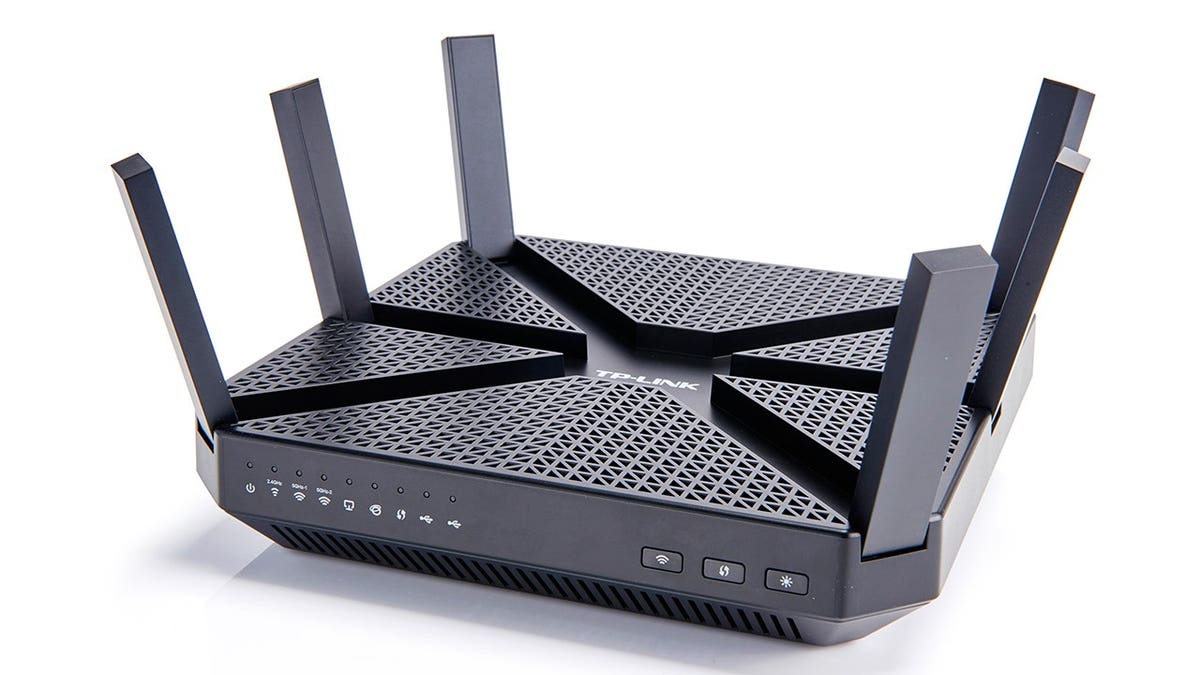
Home Wi-Fi networks are common in households, serving as a hub that connects various devices such as computers, phones, tablets, smart speakers, televisions, cameras, printers, and connected appliances. These devices constantly exchange data across the network.
While some data traffic is expected, such as accessing bank websites or downloading updates, other traffic can be unwanted or suspicious. This is where firewalls come into play. A firewall serves as a security system that governs network connections and decides which traffic is permissible. Picture it as a doorman for digital connections. Although it doesn’t identify every visitor, it assists in preventing undue traffic from reaching your devices.
Firewall Basics
Understanding firewall mechanisms can aid in making informed choices about safeguarding home Wi-Fi networks. A firewall functions optimally when paired with up-to-date software, robust passwords, and consistent backups.
Router Firewall vs. Software Firewall
Your home router, the device distributing Wi-Fi throughout the home, likely includes a built-in firewall. Positioned at the gateway, the router firewall is designed to shield the connected devices from unwelcome connections from the internet.
Router firewalls offer a basic protective layer for the network, minimizing exposure for computers, phones, and other devices. However, their efficacy hinges on the router model, software, and configuration settings.
Conversely, a software firewall functions on a particular device, like a Windows PC or Mac, providing enhanced control and monitoring at the device level. It proves especially beneficial when a device connects to external networks, offering distinctions between applications running on that device.
Inbound and Outbound Traffic
Inbound traffic refers to data moving towards your device. This could include a website sending data back to your browser after a request or a remote computer attempting to connect to your service. Such traffic is often anticipated, particularly when responding to initiated connections.
Outbound traffic involves data leaving your device. This covers opening web pages, sending emails, uploading files, and syncing documents. If an unfamiliar program attempts an internet connection, this is termed outbound traffic.
Firewall Capabilities
A firewall’s principal aim is to facilitate standard online activity while rendering unusual network behavior visible and manageable. It applies rules, scrutinizes application information, and utilizes other indicators to determine the familiarity or suspicion of a connection, possibly alerting the user if needed.
The Importance of Network Awareness
Online banking, shopping, and remote work have elevated the importance of network awareness. These activities involve sensitive data and necessitate additional scrutiny to secure essential account information. A firewall provides a protection layer, but judicious user decisions are crucial in maintaining safety.
Firewall Limitations
While a firewall oversees certain network connections, it cannot enhance weak passwords or recognize scams behind persuasive messages. It does not substitute antivirus protection, software updates, multifactor authentication, secured router settings, or reliable backups.
No firewall ensures complete immunity against compromise. Some threats emerge from willingly initiated activities, necessitating supplemental defenses and safer practices.
Enhancing Home Wi-Fi Security
A few straightforward configurations can bolster home network security:
- Secure Router Settings: Utilize the security mode suggested by the manufacturer or internet provider and refrain from using default administrator passwords.
- Router Updates: Regular installation of router firmware updates enhances performance and rectifies security flaws.
- Wi-Fi Access Security: Employ a sturdy, unique Wi-Fi password and consider using a guest network for temporary access needs.
- Device Monitoring: Periodically evaluate connected devices to detect unfamiliar connections. Updated routers guarantee better security standards.
Role of Firewalls in a Broader Security Setup
A firewall operates best as one component of a comprehensive security setup, which includes: updated software, multifactor authentication for crucial accounts, cautious online interactions, confirmed remote-access requests, and strong antivirus protection complemented with reliable backups.
Ransomware Risks and Backup Strategies
Firewalls can limit suspicious connections, yet ransomware remains a threat. Implementing the 3-2-1 backup strategy is advisable: maintaining three data copies, employing two storage types, with at least one backup separate from routine activities.
Actions Against Ransomware
Upon ransomware attacks, safely disconnect affected devices from networks to hinder the spread, preserving potential evidence and exploring clean backups. Seek professional cybersecurity guidance as necessary.
Regularly inspecting router settings, conducting firmware updates, and keeping track of connected devices are vital practices for strengthening home Wi-Fi security.
A firewall provides oversight you might overlook, integral to the protection of network and device-specific connections. The addition of antivirus software, current systems, and effective backups constitute a comprehensive defense strategy.
Leave a Reply